A Guide to Google Ads Manager Tools for Effective Campaign Optimization
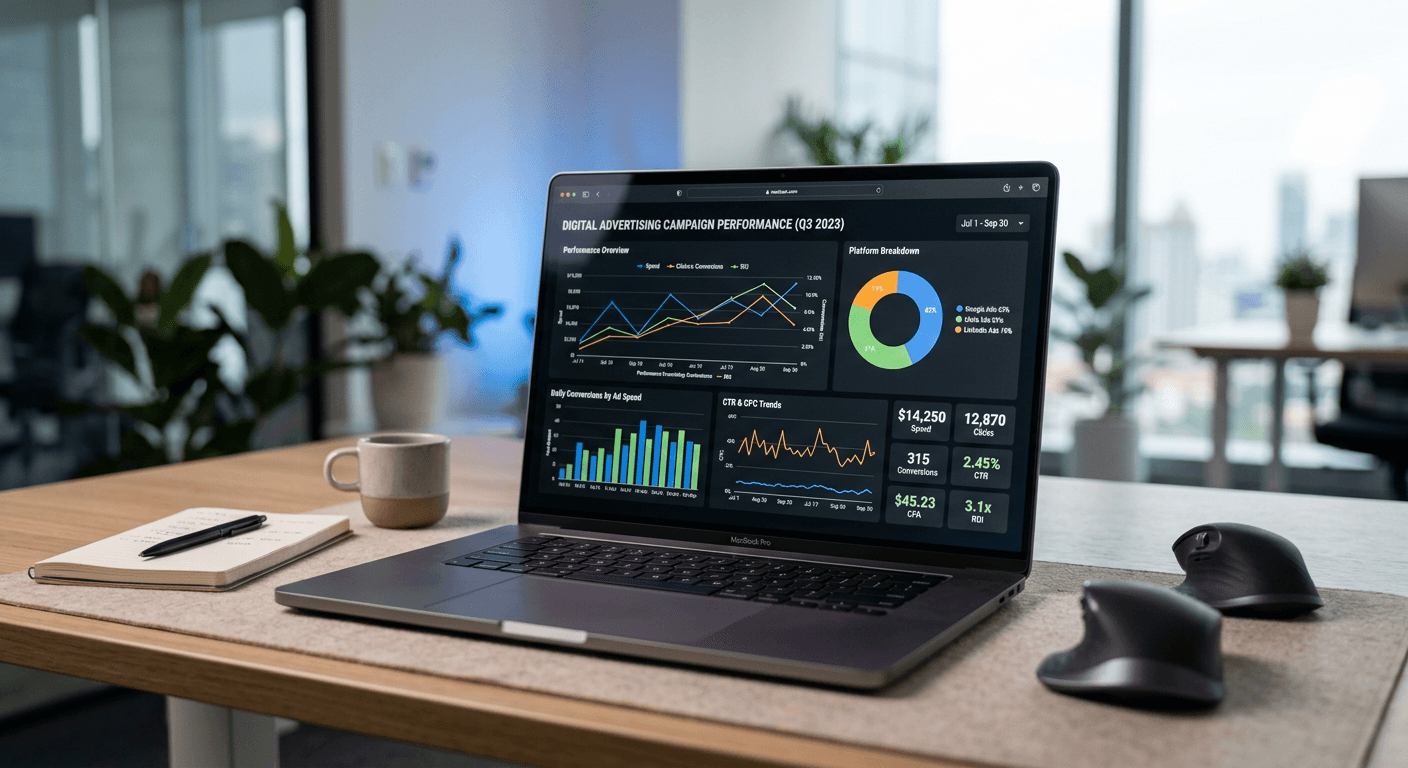
Mastering the digital advertising landscape requires a disciplined approach to platform management and data analysis. Whether you are a small business owner or a seasoned digital marketer, understanding how to navigate the complexities of your ad ecosystem is essential for maximising return on investment. By leveraging the right configuration tools and analytical frameworks, you can ensure that every pound of your budget is directed toward high-intent audiences.

Quick Summary {#quick-summary}
Google Ads management involves using robust campaign administration tools to monitor, adjust, and track advertising performance across search and display networks. Effective management ensures budget efficiency and provides actionable data to refine marketing strategies.
- Streamline bulk updates using offline management tools.
- Implement precise conversion tracking to measure ROI.
- Utilise campaign settings to control geographic and audience targeting.
- Regularly review account health through industry-standard certifications.
Table of Contents {#table-of-contents}
- Quick Summary
- Setting Up Your Google Ads Manager Account
- Optimising Your Google Ads Campaign
- Leveraging Google Ads Editor for Scale
- Implementing Accurate Google Ads Conversion Tracking
- Common Pitfalls & Troubleshooting
- FAQ
- Recommended Reads
Setting Up Your Google Ads Manager Account {#setting-up-your-google-ads-manager-account}
The Google Ads Manager (often referred to as a Manager Account or MCC) is the foundation for anyone handling multiple client accounts or complex business structures. It acts as a central hub where you can link individual ad accounts, view performance metrics from a high-level dashboard, and streamline user access permissions without needing to sign in and out of different profiles repeatedly.
To begin, ensure your primary email address is linked to the Manager Account to maintain administrative control. You should systematically invite individual account owners to link their profiles. This setup not only saves time but also provides a structured environment where you can apply consistent branding, share conversion tracking tags across accounts, and monitor audience analytics to inform your wider digital strategy.
Optimising Your Google Ads Campaign {#optimising-your-google-ads-campaign}
Running a successful Google Ads campaign requires moving beyond basic keywords and into a cycle of constant iteration. The settings you choose at the campaign level - such as location targeting, language preferences, and automated bidding strategies - dictate the initial success of your ads. It is vital to conduct regular keyword audits to negate irrelevant search terms that drain your budget without providing leads.
Monitor your quality score, as this metric directly influences the actual Google Ads cost you pay per click. A higher quality score indicates that your ad copy and landing pages are relevant to the user's search query, which often rewards you with a better ad position at a lower cost. Always align your campaign goals with specific conversion actions to ensure you are not just driving traffic, but driving profitable business outcomes.
Leveraging Google Ads Editor for Scale {#leveraging-google-ads-editor-for-scale}
For accounts with large volumes of keywords or complex structures, the browser interface can become a bottleneck. Google Ads Editor is a powerful, free, downloadable application that allows you to make changes offline and sync them to your account later. This tool is indispensable for making bulk edits across thousands of campaigns, such as updating landing page URLs, modifying bid adjustments, or restructuring account hierarchies.
Using Editor helps prevent accidental errors that occur when working manually in the browser. You can perform 'check changes' to identify potential issues before pushing updates live. By integrating this into your workflow, you maintain a level of technical rigour that keeps your campaigns running smoothly, even as they grow in complexity or scale.
Implementing Accurate Google Ads Conversion Tracking {#implementing-accurate-google-ads-conversion-tracking}
Without reliable conversion tracking, you are essentially flying blind. You must configure conversion actions - such as form submissions, product purchases, or phone calls - within the interface to understand which campaigns are genuinely driving growth. This data is the lifeblood of your decision-making process.
Start by placing the global site tag on every page of your website, then layer the conversion-specific event snippets on the 'thank you' pages or confirmation triggers. If you are struggling with complex user journeys, consider using advanced tagging solutions to ensure cross-device tracking is accounted for. For those who want to simplify their digital presence, ensure your links are centralised, perhaps by using a tool to manage your branded landing pages effectively, as this makes the tracking pixel implementation more consistent.
Common Pitfalls & Troubleshooting {#common-pitfalls-&-troubleshooting}
One common error is failing to maintain a Google Ads certification, which often leads to missing out on critical platform updates. The industry evolves rapidly, and staying current with official training ensures you are using the latest bidding models and automation features. Another frequent pitfall is 'set it and forget it' management, where advertisers allow campaigns to run without reviewing search term reports.
Troubleshooting performance issues usually begins with examining your impression share. If your impression share is low, your budget may be too conservative or your bidding strategy may not be competitive enough for the auction. Conversely, if you have high clicks but low conversions, the issue likely lies within your website's user experience rather than the advertising platform itself.
FAQ {#faq}
-
How often should I review my campaign performance? You should check your metrics daily for budget pacing, but perform a deep-dive optimisation session at least weekly to adjust bids, refine keywords, and test ad creative.
-
Is it necessary to use Google Ads Editor? While not strictly mandatory for small accounts, it is highly recommended for anyone scaling their campaigns as it significantly reduces the time required for bulk management and improves data accuracy.
-
What is the most effective way to lower my Google Ads cost? Focus on increasing your quality score. By creating highly relevant ads and landing pages, you improve your standing in the ad auction, which effectively lowers your cost per click.
-
How does a Google Ads certification benefit me? It confirms that you possess a professional-level understanding of platform features, allowing you to manage campaigns with greater efficiency and follow industry best practices for data integrity.