Proven Instagram Bio Ideas and Formatting Steps for UK Creators
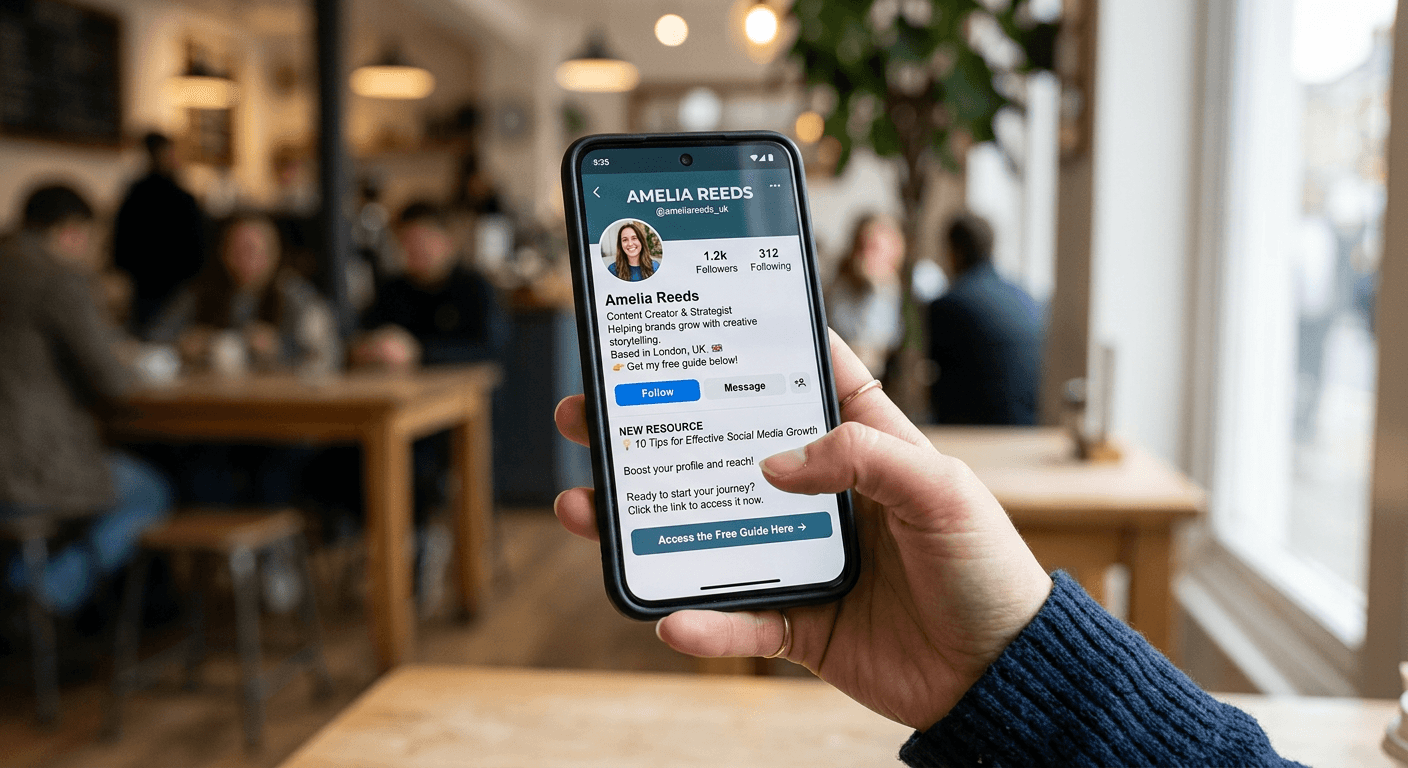
You are staring at your Instagram Insights panel. You see 2,400 profile visits logged over the last seven days, yet your website analytics report only 14 referral clicks from the application. The attention is there, but the transition is broken. This gap between discovery and action almost always traces back to those 150 characters sitting directly below your profile picture. Sifting through generic instagram bio ideas usually misses the point, because your profile is not a canvas for personal expression; it is a rigid conversion funnel. When a user lands on your page, you have roughly three seconds to confirm they are in the right place, explain what you sell, and direct them to a single point of exit. If your text wraps awkwardly, if the value proposition is buried, or if the routing link fails to load, that user will simply return to their feed.
Quick Summary
Crafting a high-converting profile requires treating your 150-character allowance as a structured landing page rather than a personal summary. A functioning layout converts passive profile visitors into newsletter subscribers, clients, or shop customers by systematically removing friction from the user journey.
- Format text with forced line breaks to prevent paragraph wrapping and maintain readability.
- State exactly who you serve and the specific outcome you deliver.
- Replace native application URLs with a dedicated platform to capture audience analytics.
- Align the final call-to-action directly above the clickable routing area.
Table of Contents
- Why hunting for instagram bio ideas usually misses the structural problem
- 1. Define the objective and target profile
- 2. Format for skimmability over cleverness
- 3. Select an action-oriented approach
- 4. Route traffic off the application safely
- Common Pitfalls & Troubleshooting
- FAQ
- Recommended Reads
Why hunting for instagram bio ideas usually misses the structural problem
The platform limits your profile text to exactly 150 characters. This hard restriction forces creators and small business owners to prioritise clarity over narrative. When a user clicks through from a Reel or a grid post, they are evaluating whether your account warrants a follow or an immediate exit. If they have to decipher your professional title, scroll through irrelevant emojis, or hunt for your shop's location, they will leave before they ever reach your content.
You are not building a Wikipedia entry; you are writing a billboard. Every word must serve the single goal of pushing the user towards the link at the bottom of the screen. Most users approach this space backwards. They start by looking for inspiration or clever phrasing, rather than treating the space as a mechanical tool designed to route traffic. If you do not structure the information hierarchy correctly, no amount of clever copywriting will save your conversion rate.
1. Define the objective and target profile
Why a vague summary stops the conversion path
Before adjusting your text, you must define the single most important action you want a visitor to take. A local bakery wants foot traffic and pre-orders. A digital marketer wants email newsletter sign-ups. A freelance designer wants portfolio views and client inquiries. These are entirely different mechanisms requiring different profile structures.
The most common mistake happens in the 'Name' field, which sits directly above the main text. Most users simply repeat their account handle here. This wastes the only part of your profile, other than your username, that the application indexes for algorithmic search. If your handle is "@SmithCeramics", setting your Name field to "Smith Ceramics" achieves nothing. Setting it to "Handmade Pottery - London" captures search queries from users looking for local craft businesses.
Practical rule: Never duplicate your username in your display name field; use those 30 characters for searchable industry keywords and your local operating area.
Once the searchable name is set, the main text must address the target audience immediately. State exactly what you do and who it benefits. "Helping UK freelancers automate their tax returns" is infinitely more effective than "Finance enthusiast. Coffee lover. Numbers guy." The former qualifies the lead and establishes immediate commercial value; the latter is wasted space that forces the user to guess what service you actually provide.
2. Format for skimmability over cleverness
How character limits and line breaks control attention
The visual presentation of your profile is just as critical as the words you choose. A good bio for instagram relies heavily on vertical spacing. When you write a continuous paragraph, the application wraps the text dynamically based on the user's screen size. This creates a dense, impenetrable block of text that is incredibly difficult to read on mobile devices, especially when users are scrolling quickly.
To build the best instagram bio possible for a commercial account, you must force line breaks. This creates a bulleted list effect, guiding the reader's eye downwards toward your call-to-action. Each line should contain a distinct, isolated piece of information. For example, line one covers the primary value proposition, line two covers social proof or operating hours, and line three delivers the direct instruction to click.
You must also account for truncation. The application automatically truncates text after four lines on most mobile devices, hiding the rest of your copy behind a small "more" button. If your call-to-action is on line five, a vast majority of users will never see it.
The primary failure mode here is over-formatting. Creators often copy and paste custom fonts from third-party websites to make their profiles stand out. These Unicode characters are entirely illegible to the screen reading software used by visually impaired users, meaning your text will be read aloud as a string of random mathematical symbols. Furthermore, custom fonts often fail to render on older Android devices, displaying as blank boxes. Keep the typography native and use standard emojis sparingly as bullet points rather than attempting typographic tricks.
3. Select an action-oriented approach
Where decorative text actively harms engagement
Many users default to searching for instagram bio quotes to fill their character limit. This is a critical error for anyone attempting to generate revenue or build a professional audience. A motivational quote tells a prospective customer absolutely nothing about your shipping policies, your service radius, or the digital products you sell. It assumes the user is already invested in your personality. But a cold visitor needs to know what problem you solve. A quote occupies valuable real estate that should be answering a buyer's immediate objections.
When you review successful instagram bio examples in the e-commerce or freelance sectors, you rarely see philosophy. You see mechanics. You see "Free UK Shipping over a minimum spend", "Next available booking: October", or "Download the free pricing guide below". These phrases do the heavy lifting of a sales team. They qualify the buyer and establish the terms of engagement before the user has even clicked a link.
The call-to-action must be the final line of text, pointing directly downward. If you do not explicitly tell the user what awaits them on the other side of the click, your click-through rate will collapse. "Click here" is a poor instruction. "Shop the new autumn collection ⬇️" or "Book your consultation 👇" gives the user a concrete reason to leave the application and enter your sales environment. The arrow serves a mechanical purpose: it connects the text block directly to the hyperlink below it.
4. Route traffic off the application safely
Why native application routing fails at scale
The final, and most technical, element of your profile is the routing infrastructure. Figuring out how to add link to instagram bio setups is mechanically simple: you navigate to 'Edit Profile' and paste a URL into the 'Links' section. Managing what happens after the user clicks that URL is where most businesses fail, and where significant revenue is lost.
When a user clicks a link in the application, they do not open Safari or Google Chrome. They open an In-App Browser. This stripped-down, enclosed browser environment frequently drops tracking cookies, fails to pass referring data to your Google Analytics dashboard, and struggles with complex payment gateways. If you send users directly to a heavy, unoptimised e-commerce homepage, the In-App Browser will load it slowly, the session will time out, and the user will abandon the cart.
Traditional web development offers one solution: building a custom, mobile-optimised landing page specifically for social traffic. However, commissioning a designer, setting up hosting, and integrating analytics for a custom routing page typically costs upwards of £875 in the UK.
The practical alternative is using a dedicated platform to handle the transition. These tools are engineered specifically to load instantly within social media environments. They provide a single, branded hub where you can host multiple destinations - your shop, your booking calendar, and your latest video - without overwhelming the native profile interface.
More importantly, a professional platform captures audience analytics directly. It allows you to track clicks, map top traffic sources, and integrate retargeting pixels even when the native application attempts to obscure that data. You stop flying blind and start seeing exactly which profile visitors are turning into paying customers.
Common Pitfalls & Troubleshooting
The difference between a profile that converts and one that stalls usually comes down to easily diagnosed errors. These are the most frequent failures.
The Routing Paralysis
- Symptom: Your analytics show a high volume of link clicks, but your actual sales, bookings, or sign-ups remain stubbornly at zero.
- Fix: You have presented the user with too many options on your landing page. If a visitor clicks through and is faced with twenty different buttons, they will experience decision fatigue and leave. Audit your routing page and reduce it to your top three commercial priorities. This is the most common cause of high-click, low-conversion profiles.
The Invisible Profile
- Symptom: Your follower growth relies entirely on the application's recommendation algorithm; you receive zero inbound traffic from platform search queries.
- Fix: You have duplicated your handle in your Name field. Edit your profile and replace your Name field with the primary service you offer and your location. If you are a plumber in Manchester, your Name field must say "Plumber - Manchester", not your company name again.
The Buried Lead
- Symptom: You have steady audience engagement on your posts, but zero commercial inquiries in your direct messages or inbox.
- Fix: Your text is too vague. You are relying on adjectives rather than outcomes. Remove words like "passionate", "expert", and "dedicated". Replace them with concrete deliverables: "Delivering custom branding packages in 14 days."
The Broken Checkout
- Symptom: Users frequently send direct messages complaining that your website will not load, or that the payment button is unresponsive.
- Fix: Your website is incompatible with the platform's In-App Browser. You must place a lightweight, dedicated routing platform between your profile and your complex main website to handle the traffic safely and route users to specific, mobile-optimised product pages.
FAQ
Does changing my profile text affect the algorithm? Changing the main 150-character text block does not directly impact how the application distributes your content to non-followers. However, altering the 'Name' field does fundamentally impact your searchability. If you change your searchable keywords, you will immediately alter the types of queries that can surface your account.
Can I use custom fonts to stand out? You should avoid custom Unicode fonts entirely. They break screen reading software for visually impaired users and often render as blank squares on older mobile devices. Stick to the native typography and use forced line breaks to create visual interest instead of relying on unreadable text formats.
How often should I update my routing links? If you use a dedicated hosting platform, you rarely need to change the URL on your actual social profile. You simply update the buttons on your external landing page. This prevents the application from repeatedly flagging your account for suspicious link changes, which can happen if you edit the native link field too frequently.
Do emojis hurt professional credibility? No, provided they are used functionally rather than decoratively. Using a single downward arrow emoji to direct the eye to your link, or using simple checkmarks as bullet points, actually improves skimmability. Overusing obscure emojis wastes your limited character space and distracts from your core value proposition.
Should I use hashtags in my profile text? Placing a hashtag in your text creates a clickable link that takes the user away from your profile and onto a generic discovery page. Unless it is a branded hashtag specifically for your own user-generated content, you are actively encouraging users to leave your funnel. Do not use generic hashtags.